Once you have moved any estimates from csc, "Contract Shop Contorl" Upload file to the estimate approval screen, you are ready to start approving or denieing estimates.
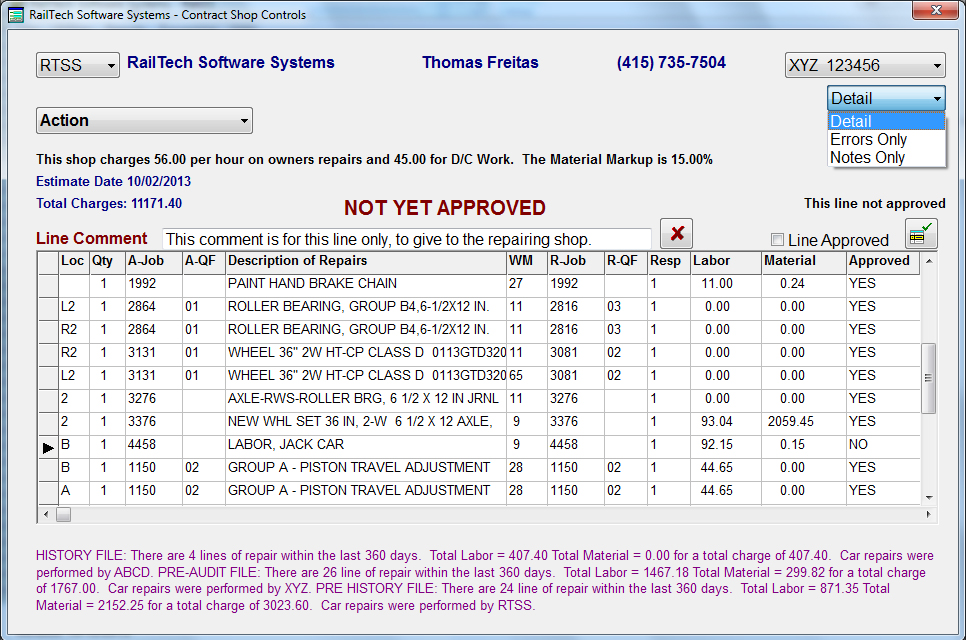
From the main menu, select Files, Shopping, Estimates, Estimate Approval Screen and the below screen will appear. On the left will be the selection for all companies in the estimate approval file. When you select a company the pull-down on the top right will populate with a the cars for that shop. The pull-down under the car listing will allow you to view the Detail, Errors or Notes for each line of the estimate. You can modify the errors or notes as well as designated if the line is approved or not by click the push button at the top right side after making any changes.
When you select a car from the pull-down, the system will automatically display the information from the "Shop Rates" file under the action selection. It will also display the repair date, estimate total, comment, (If the selection is detail or notes, or error, if the selection is errors. If all lines are approved, the system will display "Estimate Approved" ortherwise it will display "Not Yet Approved". Each line will also display if it is approved and who approved it.
The Action pull-down will allow you to choose one of the following; Save, "This will save all the notes, errors and approvals that you made to the estimate., Approve All Repairs, Remove All Approval, Remove all Notes/Errors, Reports and Exit.
The bottom of the screen will display the entire history of repairs to the car in the last 360 days. The display will inform you how many lines of repair, the total labor, material and the total for each file on the system. The files are; History, Pre History, Pre Audit and Suspense.
Once an invoice is received in the form of a 500 byte data exchange file, the system will validate that each line has been approved for each billing repair card in the invoice and that the total amount of the invoice matches the total amount of all billing repair cards in the estimate approval screen. If it does not, than the invoice is not sent for payment, an error is issued and the customer is notified of the error. If the invoice matches all repair lines of the approved estimate(s), than the invoice is sent to the pre history file for payment and by pass all other audits.
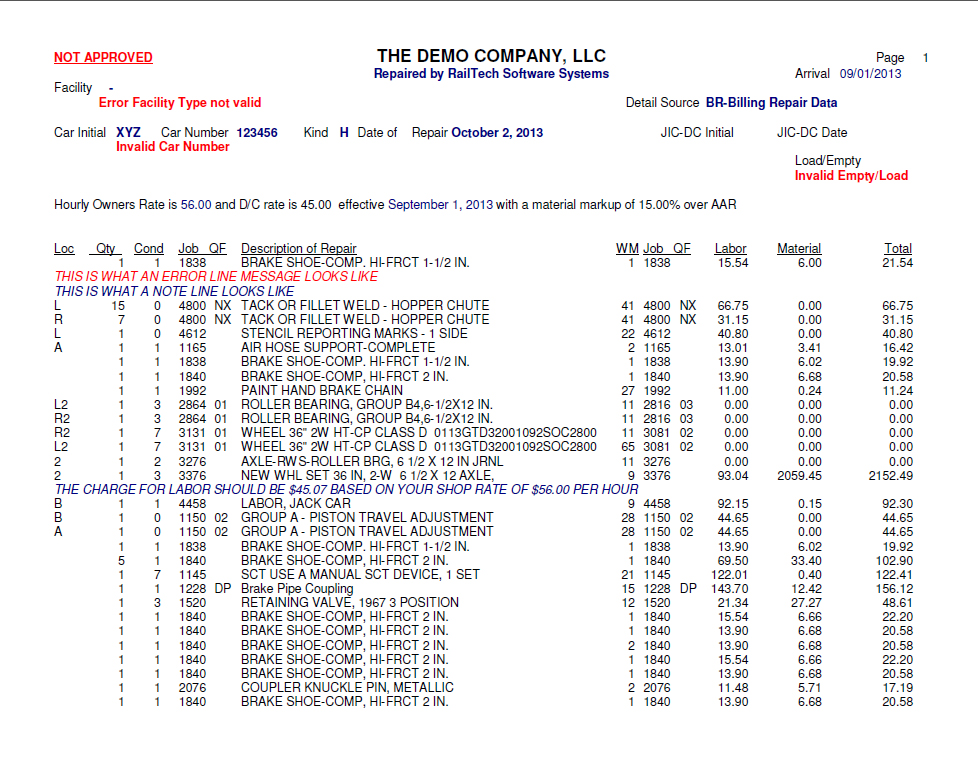
Below is a sample of the estimate error sheet that would be sent to the shop for correction.