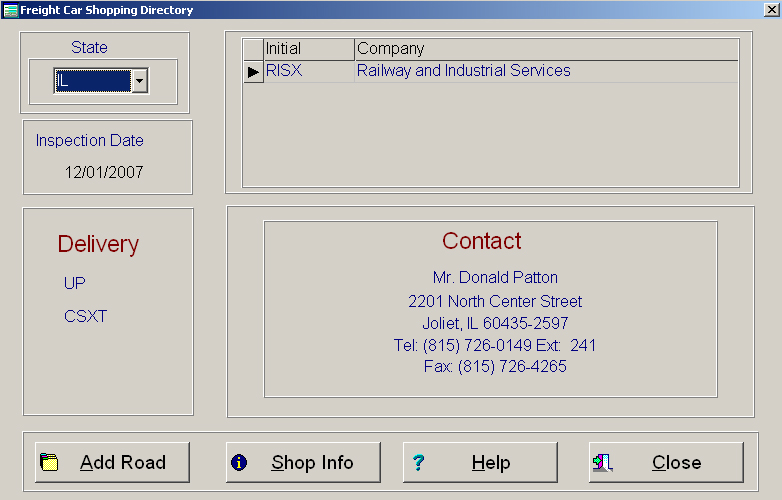
Whenever a company calls in to have a car shopped or you want to shop a car, The Shopping Assistant, see below, can help you. The Shopping Assistant utilizes the rolodex file along with a self contained information file. As you can see from the below picture, the first thing you need to know is what state the car in and what road is it on. By selecting the State, you will see a list of all shops in that state on your right. This information comes directly from your rolodex file. If you click on the shop that you might want to send the car to, then the contact person with telephone number appears directly under and all the railroads that deliver to that shop are at the bottom left.
If there is currently no information for delivering road, then you must find out and press the Add Roads push button. Five blank fields will appear on the screen. Simply fill in as many fields as you need, then press the Save Roads push button. The Add Roads push button will change to the Save Roads push button when you select it.
The Shop Info push button will allow you to check off what capabilities that the shop has. This can help when you have a car that needs a shop to do specific types of repairs.
Keep in mind that a car should go to the nearest company capable of doing the repairs that are required. Also, the car should be moving in the same direction that it was going and delivered by the same company. If you follow those directions then you should have minimal, if any, charges moving the car to shop.
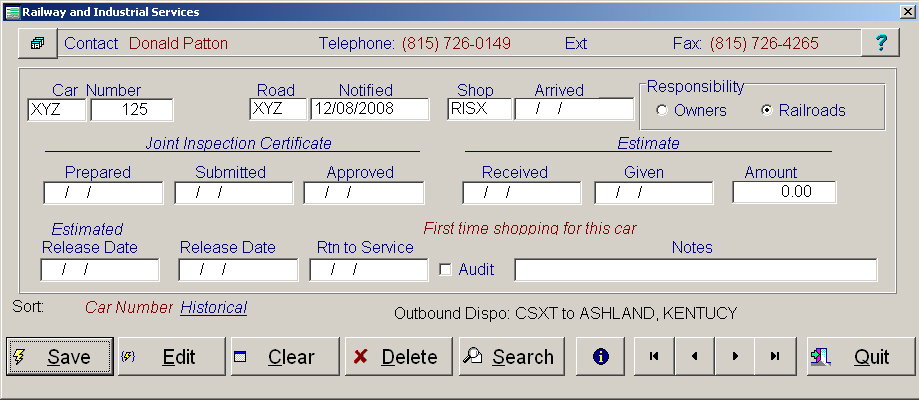
Whenever a car is moving to shop, you need to enter as much information as possible in the shopping screen, see below. The more information you enter, the more information you can retrieve. This information is used for statistical data as well as for Rent Abatements. The lease number is in a push button. If you press the push button, then a summary of the lease will appear.
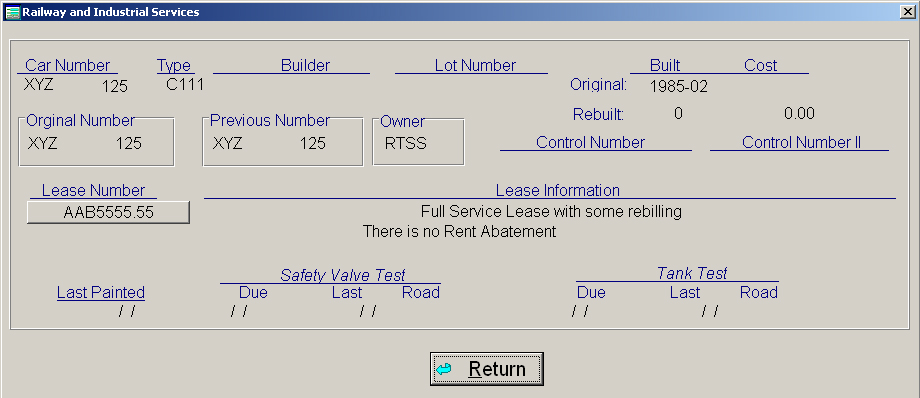
Once a car is in the shopping file, you can view information about that car by pressing the i with the circle around it. This screen will let you know what lease the car is on, if there is rent abatement, and much more. See Below