The starting point can obviously be almost anywhere, depending on where you left off. For all practical purposes, we are going to assume that you start by uploading repairs from the data exchange file.
With that in mind, the first thing that you need to do is download from Railinc the data exchange file, or use a data exchange file that you may receive from a shop or other company in an e-mail attachment. The data exchange file must have an extention to it. If it does not, then change the name of the file, giving it an extention. EXAMPLE: TESTwould be changed to TEST.DAT or any other extention that you may want.
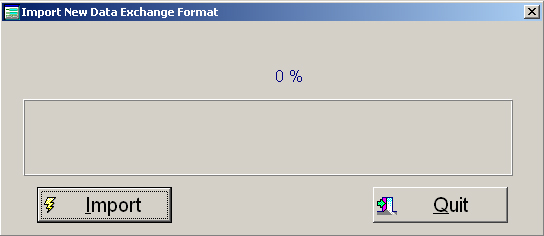
The next step is to go to "Utilities", "Transfer Data", "Import", "500 Byte Format". Now press the import key and direct the system to where the data exchange file is located. The system will automatically import the data and modify the file so that it is in the proper format. An example of the modification is, the system will convert all dates to four digit years.
Because the industry is now 500 Byte only, then that is the only format that this system will accept! The system will automatically retreive all the invoice information, such as Invoice Amount, Invoice Number, Invoice Date and Accounting Year/Month in YYYYMM format.
Almost always, there will be more invoices that are downloaded from Railinc, then physical invoices that you have. When this happens, you must go to Utilities, Transfer Data, Suspense, Pre-Audit to Suspense. Select BROWSE, highlight an invoice number that you do not have a physical invoice on and the system will move that invoice over to a suspense file. Once an invoice comes in, check your suspense file and see if it is there. If it is, then move it back over to your Pre-Audit file and then modify the header information.
When importing data exchange files, the system will validate the format to make sure that certain fields are formatted correctly. If there are not, the system will let you know that it did not upload the file because there were errors in the file. It will inform you how many errors it has detected out of a total how many records.
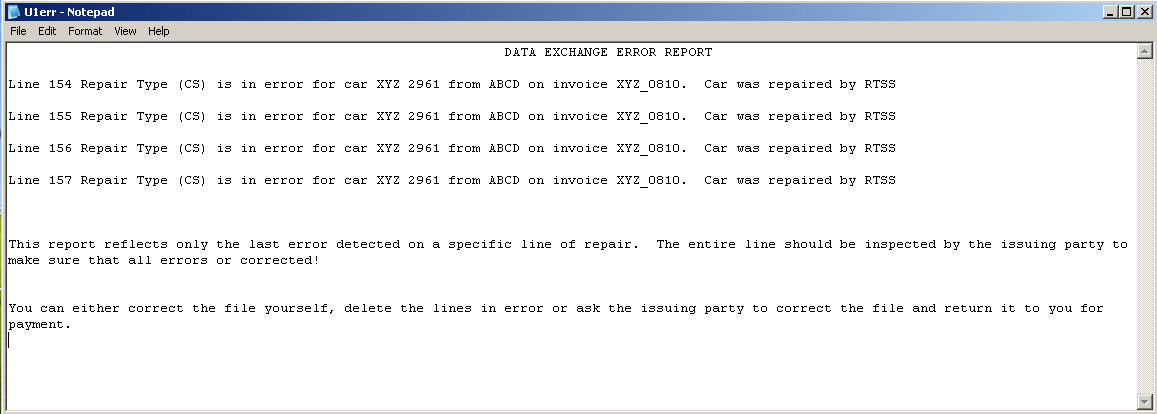
If the system detects any errors, then you can go to the same location as importing and select the Error Report. The report will give you the below type of message so that you can either correct it or have the issuing company correct it.