Car Hire
Watch Video - Main Menu
Watch Video - Equalization
Watch Video - Ad Valorem
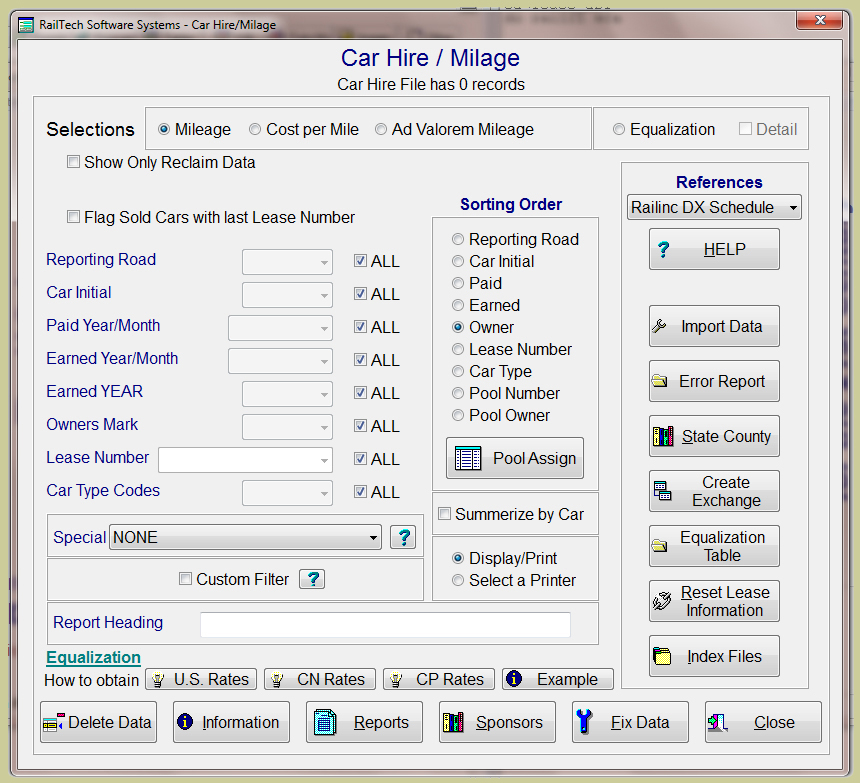
This program will assist you in obtaining and reading your car hire 500 Byte Data Exchange Files as well as creating variuos reports include Ad Valorem Milage and Equalization Reports. The screen is designed for the handling of your data in the easiest way possible.
First you import your data and the system will perform validations. The system will validate that certain information is in the proper format, such as dates, car initials, car numbers and so on. It will then validate that the data does not already exist in your history car hire file. If the system finds an error of any kind, it will not upload the information. An error report is generated that you can view by pushing the Error Report push button.
The error report will show you the line number of the data file and will let you know what the last error detected for that line was. You can then delete the line or correct it. Next, the system will manipulate the data so that it can be related to your repair records and lease information.
Select which report you want to run, Cost per Mile, Mileage, Ad Valorem or Equalization, then select from the pull-downs what data you want and from the radio buttons what order you want to display it in.
You can also add to your filter specific items from the "Special" pull-down. These items include such things as Rule 1T Private Trailers, Rule 4 Revenue Bill, Rule 107 Damage, Rule 108 Damage, Rule 108 Received at Shop, Rule 108 No Dispo Required, Cancellation Charge, Rule 22 Plant Shut Down, Rule 22 Assigned CSR 16, Rule 22 Released from Assignment, Rule 22 Held short of assignment, Rule 22 Assigned Other, Rule 23 Storage, Contracts, Trailer Relief, CSR 5, Special Use Charge, Origin Detention Charge, Destination Detention Charge, OT5 Private Recovery, Tax-not for states, Mileage Equalization, Private Line State Miles, (Payments;Adjusted, Complete, Final, Not Specified, Partial Pay)

The report will always page when a new sort field appears. Simply press the Report push button and the program will ask you to verify your selection. Now press the OK push button and there is the report. It is that easy!
When creating a Cost per Mile report, you can select if you want to see only active records, which means that only those cars that have repairs associated with them between the start cycle date and the end cycle date will be displayed. You can also state that you do not want to see any Rule 95 Repairs in the report.
When creating a Milage Report, you can select if you want to see only reclaim items, which means any items that show up as adjustments in the car hire data.
When creating a Ad Valorem Milage report, the custom filter box will automatically be checked. Because Ad Valorem is based on a specific year, you must filter the report to show the following;
"year_ad_valorem = ????", where ???? is the year.
This report will bring in all cars where the car initial ends with an X and where the total milage is greater then 0. You can sort this file any way you want, and the sub sorts will be on Country, then State then County. The subtotal of milage will appear under each state with a total by country, U.S., Canada or Mexico.
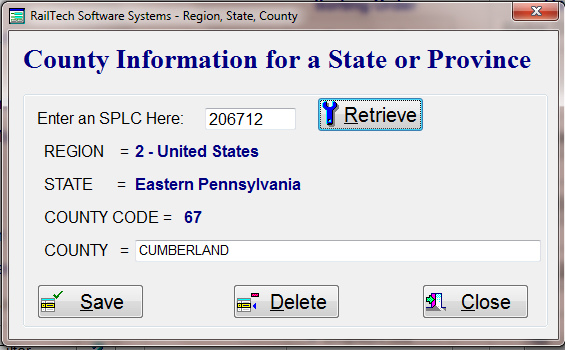
The County of each state has a numeric code assigned to it. If you would like the county to show that actual name, then you must enter the name using the screen above by pressing the State County push button. All the information is taken from the SPLC where the 1st digit indicates the country; 0 = Canada, 9 = Mexico and 1 through 8 = United States. The 2nd digit indicates the state, the 3rd and 4th digit inidicates the county. We do not use the 5th and 6th digits as they represent the station and city.
The system will look at all repair records where the repairing road is equal to the reporting road of the car hire data. It will then determine of the repair date is greater then or equal to the Cycle start date and if the repair date is less then or equal to the cycle end date. If that is true, then the system will total the labor and the material amounts for the report.

The Equalization Table is where you enter all the information needed in order to create an equalization report. In Canada, equalization is based on Tank Cars and Covered Hoppers. In the U.S., equalization is based on Tank Cars Only.
SAMPLE REPORTS:
Cost per Mile.pdf
Mileage.pdf
Ad Valorem Milage.pdf
Equalization.pdf
Equalization_detail.pdf
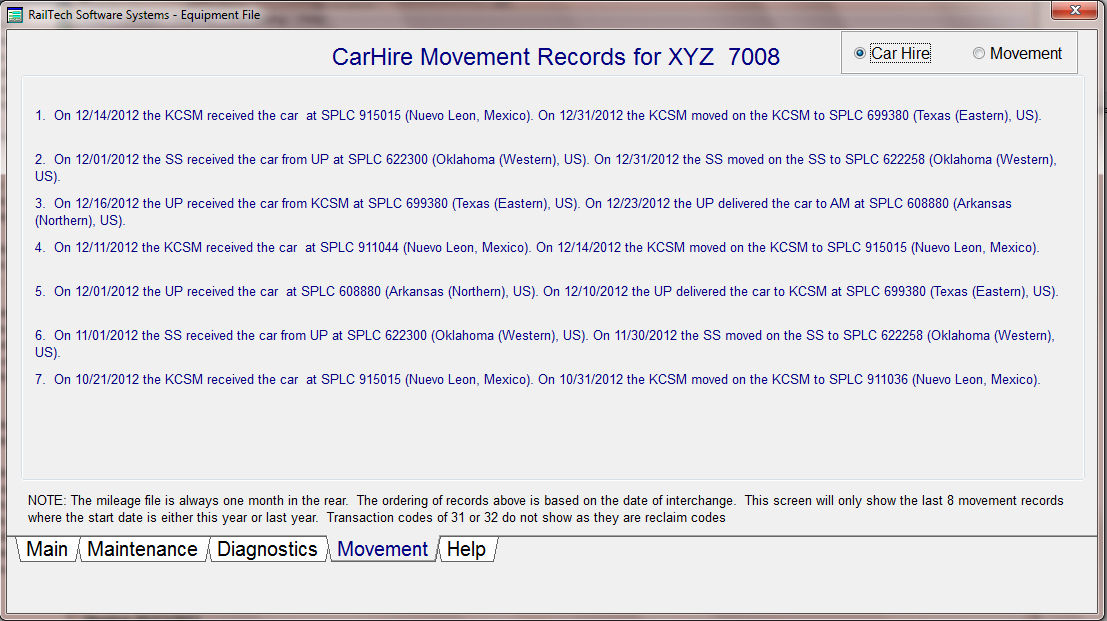
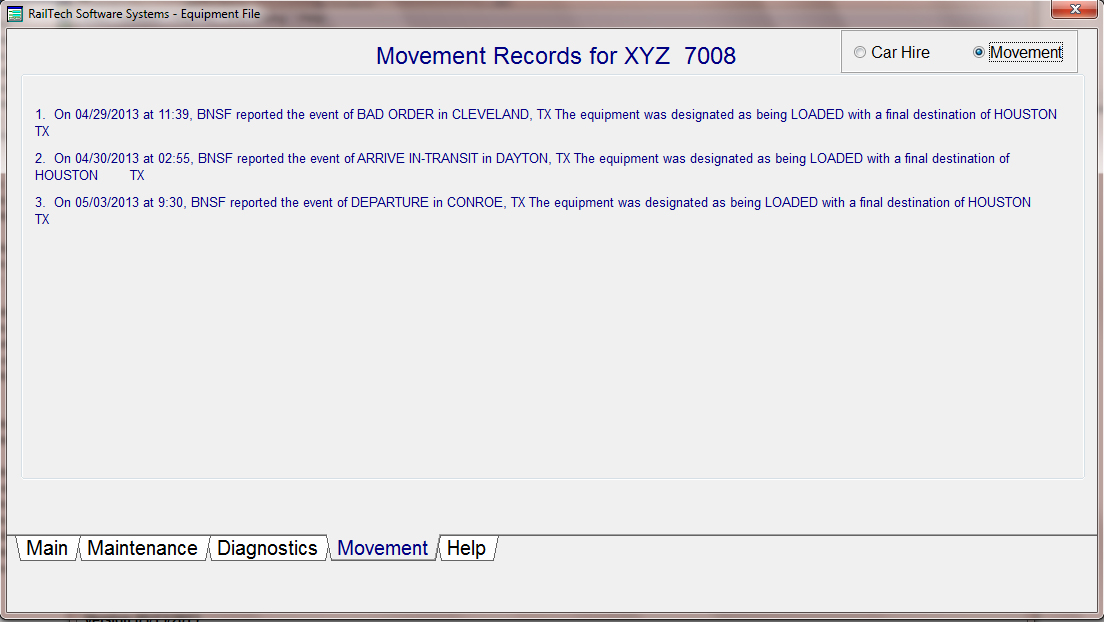
The system allows you to upload a CSV, Comma Seperated Value, file of the Car Movment records. You can uptain car movement records from either Steel Roads in either an Excel Spread Sheet or in a CSV file. The final records must be in the CSV format in order to upload the data.

The car movement records can be sorted by LEASE NUMBER, OWNER, CAR TYPE, RAILROAD, CAR INITIAL, CAR INITIAL AND NUMBER or by STATE. You can View/Print/Export or save the report as a pdf file. You also have the ability to filter your report for exactly what it is that you are looking for, see report below.
When you upload the car movement records, the system will remove any duplicate records that are in the history file of movements. If a car has been inactive for 180 days or more, the system shows the date as the date of upload and the reporting railroad as XXXX. If you use the rail21 program, the system will automatically put in the lease number, car type and owner based on your car file by comparing the date of movement with the on rent off rent dates.
Sample Report; car movement by railroad