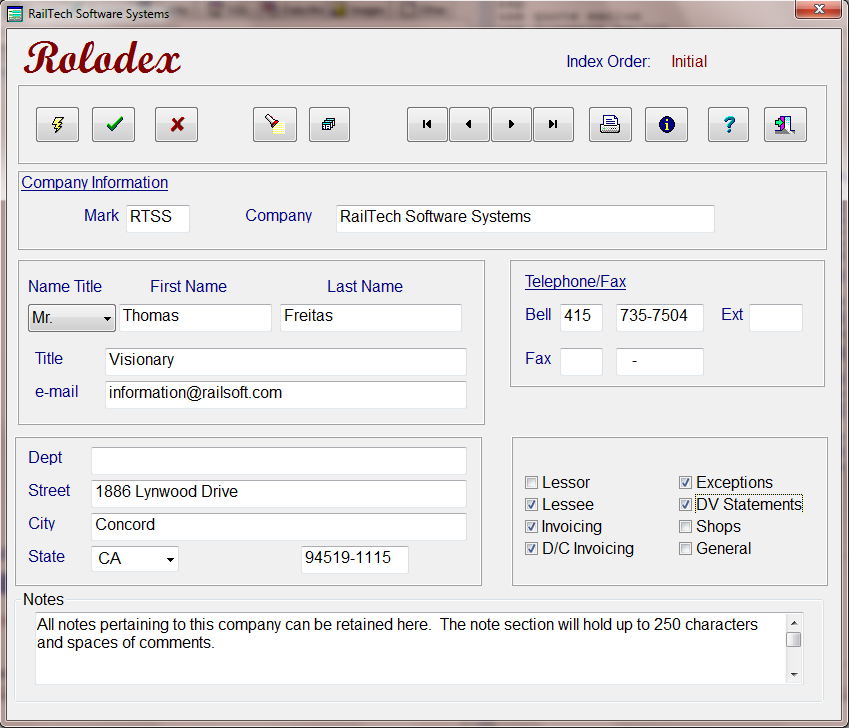
The Rolodex is the first screen that you should use when you first use rail21. Here is where you will state all the Lessor's andLessee's that your company has or uses. This is also the area that you assign responsibility for the person within that company that you listed, such as Lessor, Lessee, Exception Letter, DV Statements and so on.
You must have a Lessor and a Lessee before you can assign any leases to your company. Likewise, you must have a lease before you can assign any cars to your equipment file. Therefore, the Rolodex is a very important starting point and control screen.
If you are an owner of equipment, than you should make the responsibilities for your company as both a Lessor and a Lessee. This way you will be able to create a lease with your company as both the lessor and the lessee allowing you to assign equipement to that lease.
You have the ability to print the address that you are on or all of any of the responsibilities that you select by clicking on the push button with a picture of a printer on it. When you do, the screen below appears.
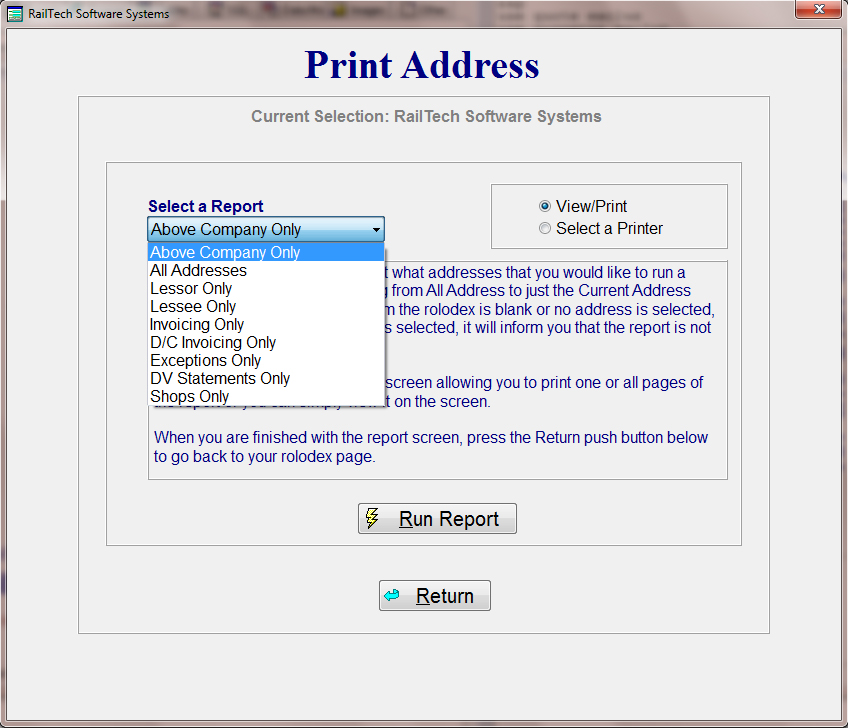
This screen allows you to select what you want to print from the address file. If you choose the radio button "View/Print" than whatever you had selected will appear on the screen. You can than print all the records with the group or print on the page that is being viewed.
If you choose the radio button "Select A Printer", than whatever you selected will be printed to the printer that you selected. You can also select a PDF Printer Driver and save the report to a pdf files using this selection.