The tax code goes into the Detail Source Field and is controlled by the AAR on what codes can be entered there.
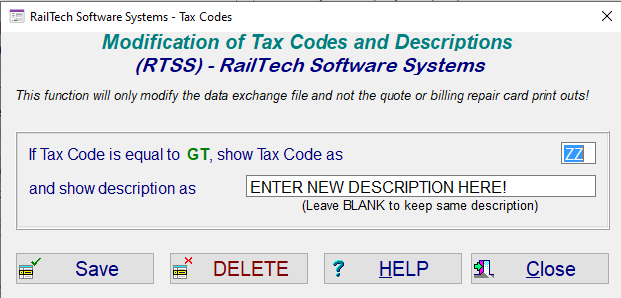
In the Rolodex file is a push button in the tax area on the bottom left titled "Tax-Modify Codes". If you have a tax code entered in either the Tax 1 or Tax 2 line, the system will allow you to modify the code and/or description for that specific tax code and that specific customer.
Some companies do not want those codes, but instead, would like another code and/or description for taxes. This utility allows you to change either the description or the actual code or both to something other than what is assigned.
This function works in the data exchange file only and only for non-railinc submitted data exchange files.