Simple Costing
Simple Costing
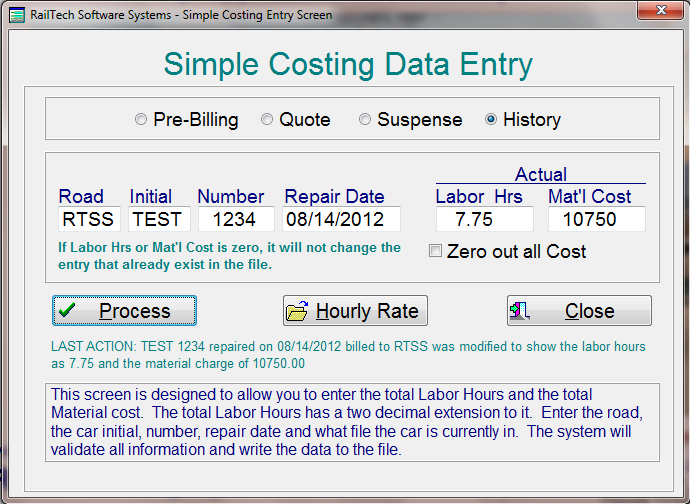
From the main menu, select "Files", "Costing", "Simple Costing" and the above screen will appear.
This screen allows you to select a file than enter the time and material cost to you to perform repairs on a specific car. Once you have selected a file where the car is located, simply enter the road, car initial, car number, repair date than enter the time allocated to repairing the car as well as the total material cost.
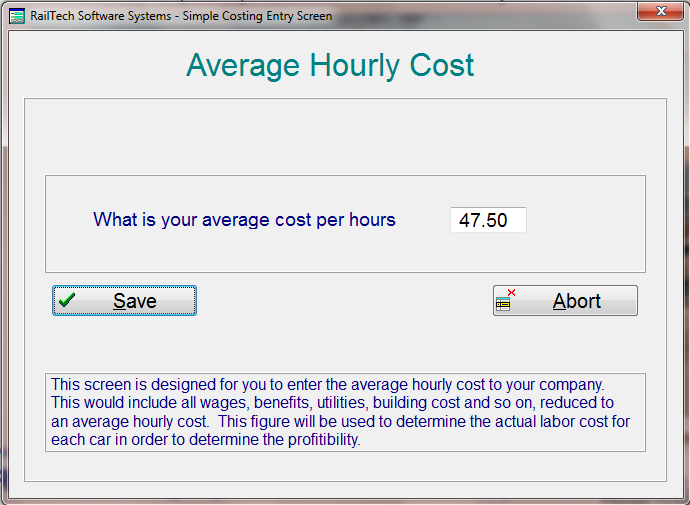
This screen allows you to enter the hourly cost to you to perform any task within the company. It should include all monthly expenses reduced down to an hourly amount. When the costing report is created, the system will take this amount and multiply it by the hours actually worked on each car to give you the total actual cost in labor.
A sample of the costing report can be viewed by clicking HERE!