Running Repair Agent Information
A
Railroad's Running Repair agent is a running repair contractor as listed in
Appendix H performing the work of running repairs on freight cars. The Running Repair Agent must be a
signatory to the AAR Interchange Rules.
Running repair agent is synonymous with various references in the AAR
Interchange Rules where "Repairing road", "repairing
party", "repairing line", "billing
company" and "billing road" are so noted.
(Reference Rule 85, 112 G.5 and H.3)
The
Running Repair Agent Mark is four positions, the 1st must be an alpha character
and the 2nd through 4th must be numeric.
This code is assigned to you by Railinc. In order to obtain a Running Repair
Agent Mark, you must fill out all the appropriate forms and pay a
administrative fee to Railinc. The
fee is non-refundable and must be received by Railinc before the RRA mark can
be assigned along with the original executed Interchange Agreement.
Once the Running Repair Agent has been assigned a Running Repair Agent mark (ex: A000) he/she will need to notify the Railroad that he/she is an agent. It is up to the Railroad to notify AAR/Railinc of the new Running Repair Agent at a SPLC location code so it may be published in Appendix H of the AAR Office Manual. (Running Repair Agent mark always starts with an "A" followed by three digits. Ex: A000)
The establishment of a Running Repair Agent would be for running repairs only and will not include wreck handling, pool billing, cleaning tracks, etc. One key consideration is that the Running Repair Agent must be a signatory to the AAR Interchange Rules.
More up to date information is in the AAR Office Manual under Appendix H.
If
you are a Running Repair Agent, then the RRA
Code will replace the code of Billing/Invoice Party in the 500 Byte Data
Exchange file for that company which you have marked as you being the Running
Repair Agent in the Entity File.
You
can request all forms and instructions from Railinc at RR.AGENTS@RAILINC.COM
Once
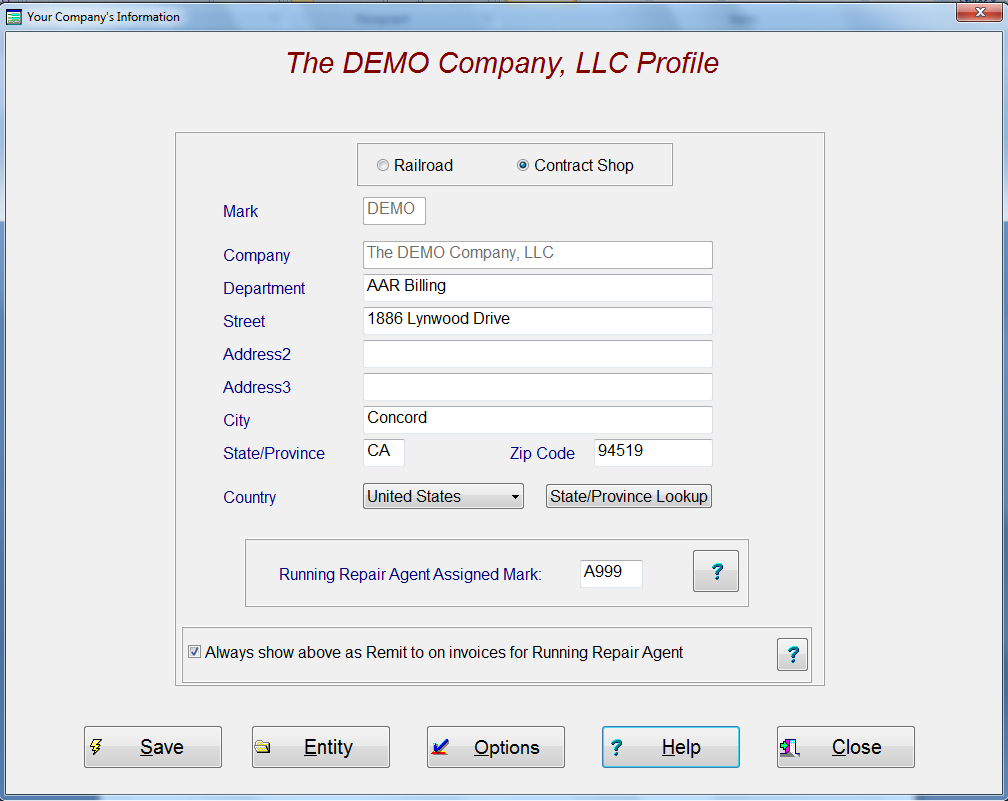
you have entered and saved the Running Repair Agent Assigned Mark,
then the next step is to select the Entity
that you are the Agent for and check the box as being their agent. That is all that needs to be done as the
system will perform all the appropriate actions internally.