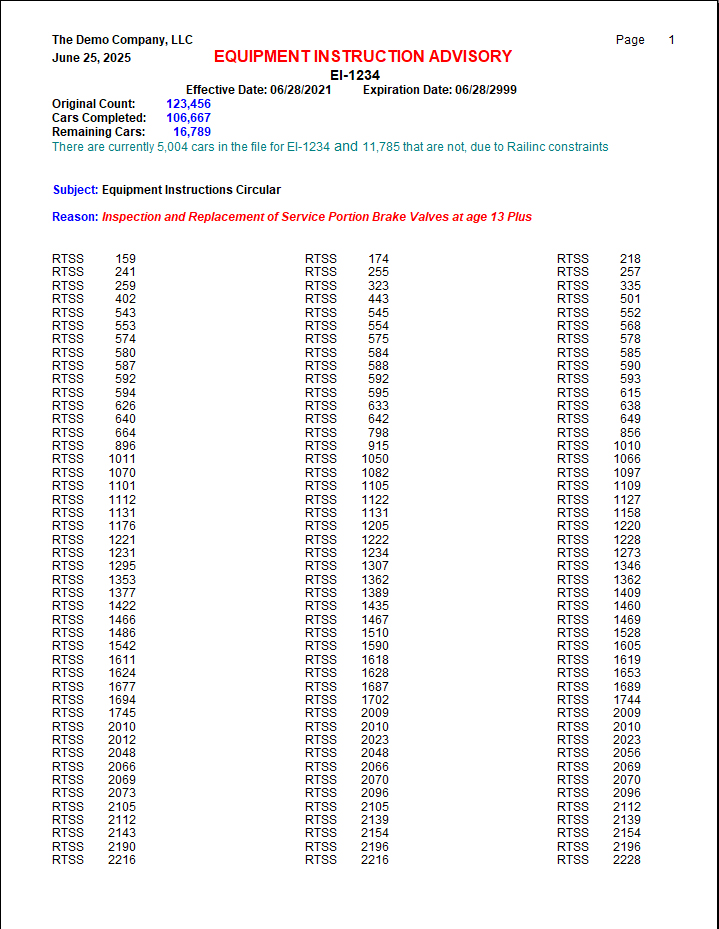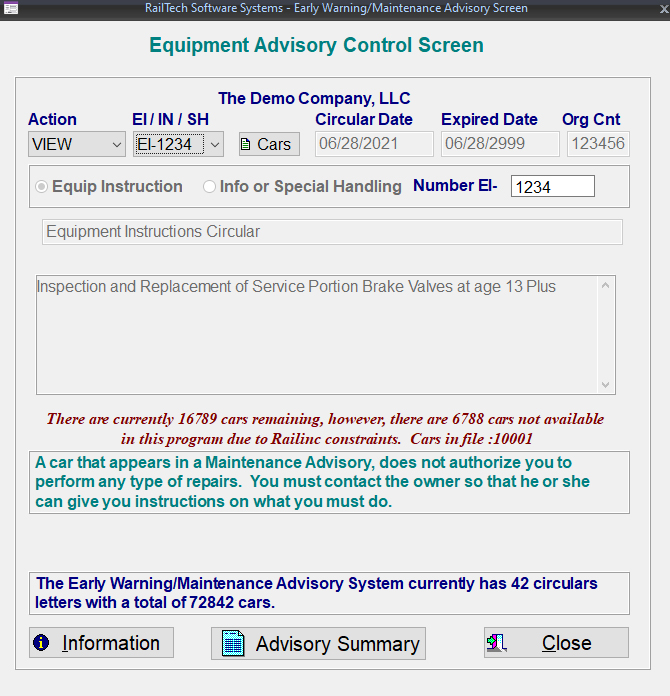
From the main menu, select Utilities, Early Warning/Maintenance Advisory and the below screen will appear. You can view any Advisory Circular by selecting the circular number from the pull-down. The select Action allows you to run a Report, which is a smaller version of the circular letter.
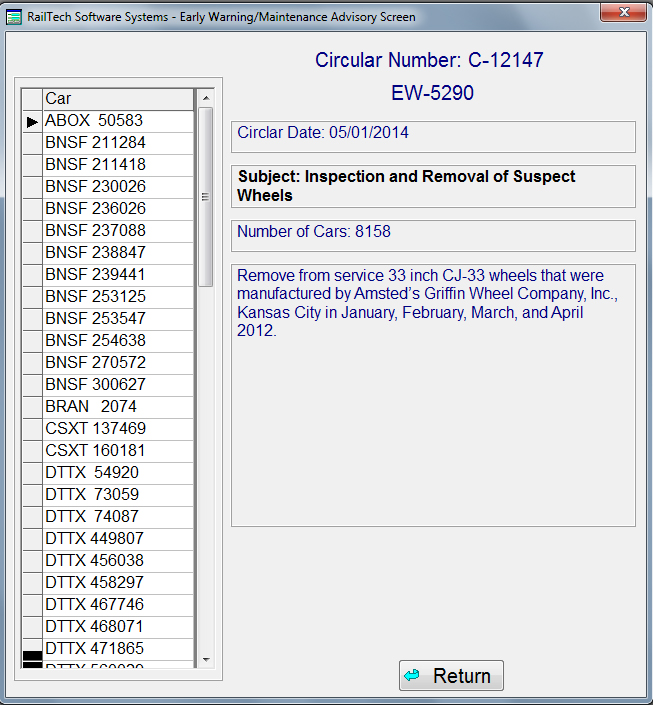
If you would like to view a list of all the cars that are on the selected Circular Letter, than make sure that the selection is set to View and press the List Cars push button. Once you press the List Cars push button, the screen on the next page will appear
When you create the header information of a billing repair card than select the Detail push button to start entering repairs, the system will automatically check the list of cars in the Early Warning File. If it finds the car, it will notify you with a pop-up message, like the one below.
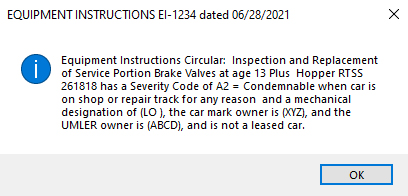
Messages only appears when you are creating and not when you are editing repairs. You should also retrieve the original circular letter for all information pertaining to the Early Warning or Maintenance Advisory.
If you click on the Summary of Advisories push button, a report showing all current advisories as shown below
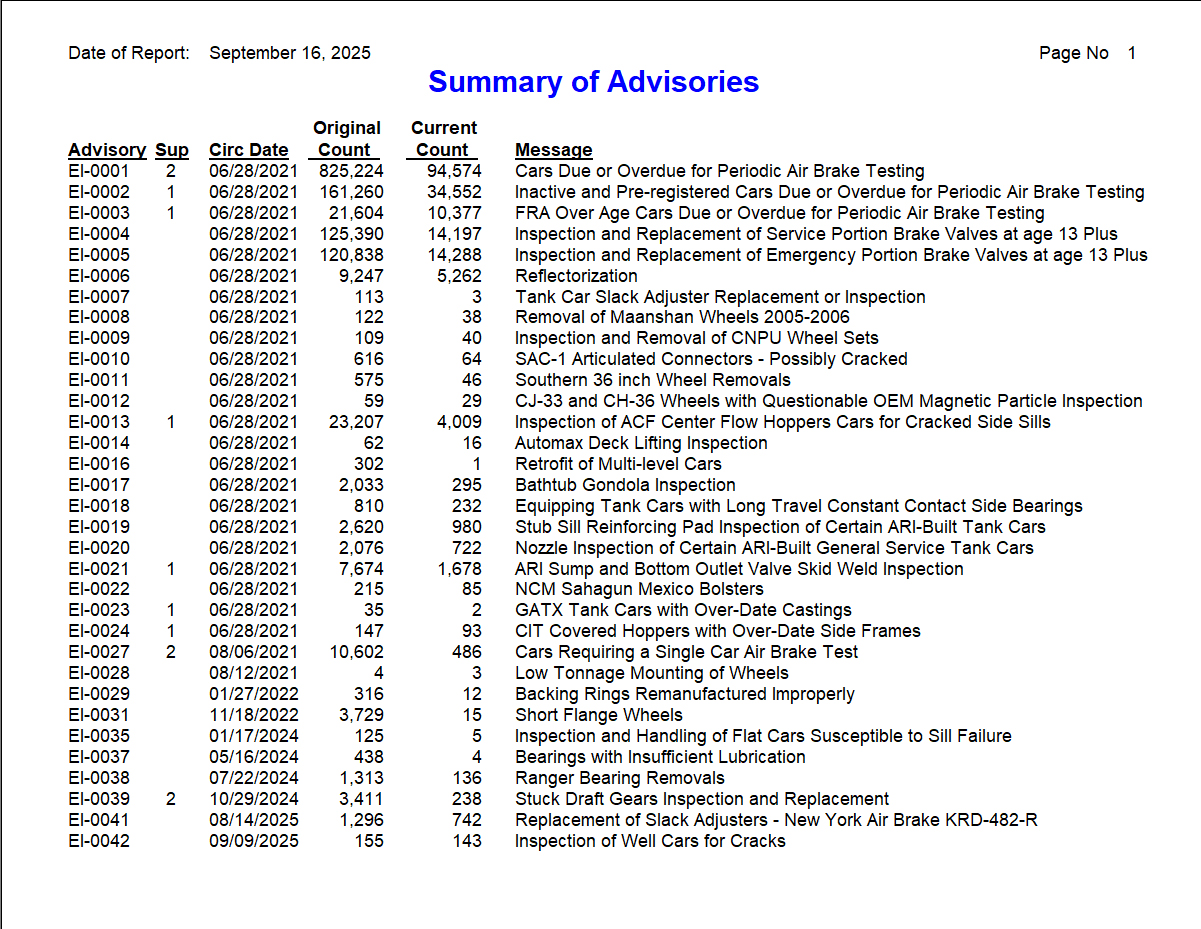
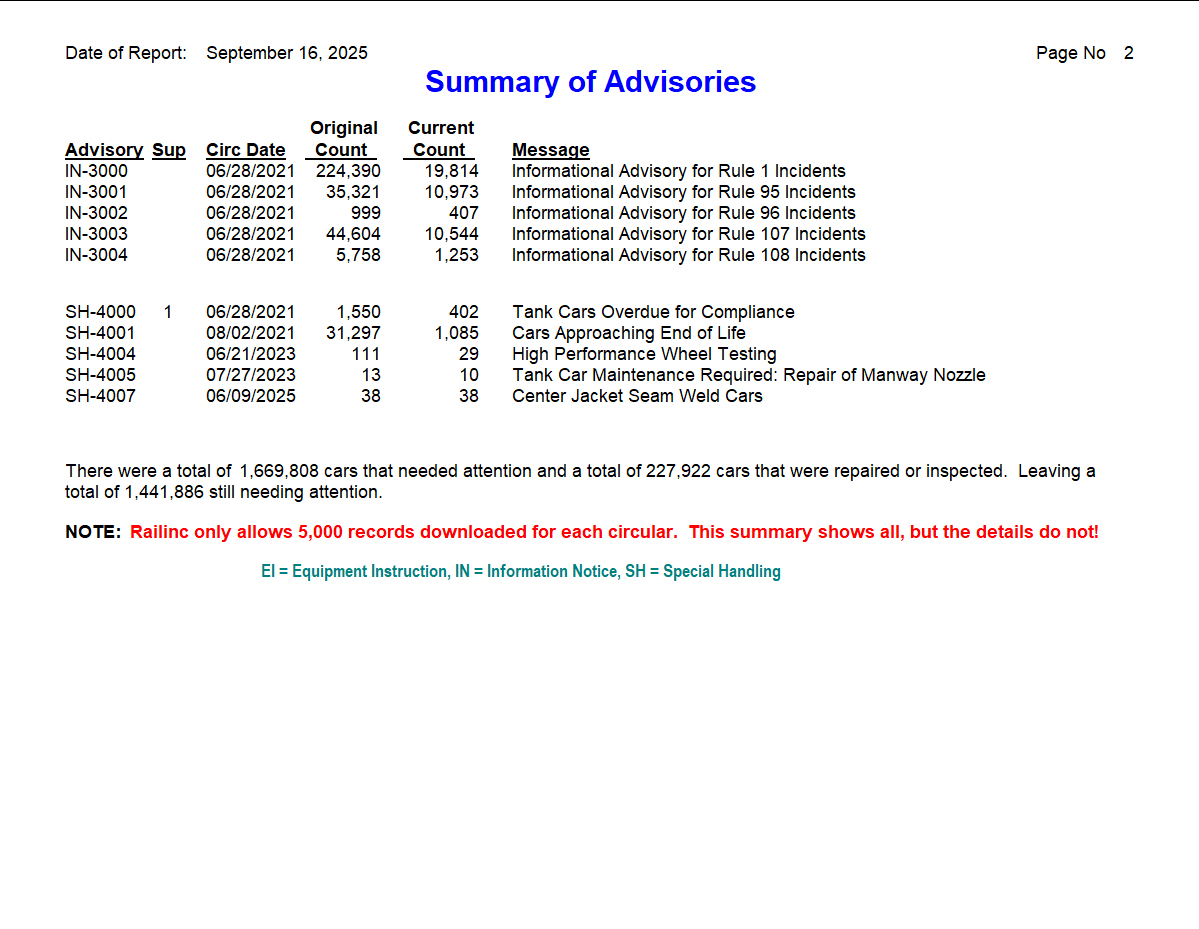
You may also view a report on the selected Advisory Number to see information as well as all remaining cars that are on the advisory. See Below