Invoicing
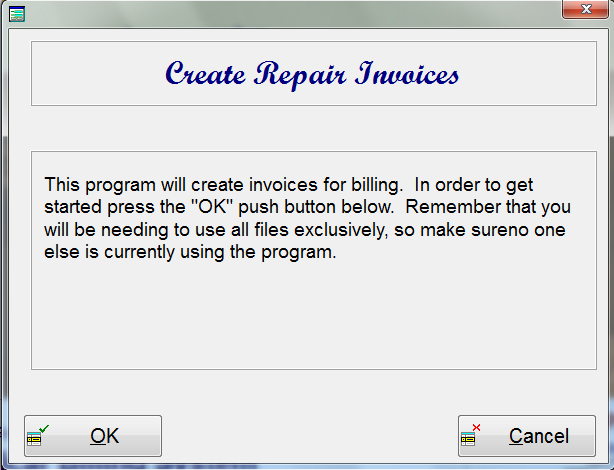
When you are finished with all your billing, then it is time to invoice. There are three screens that you go through in order to invoice. The first screen that appears when invoicing, is the information screen.
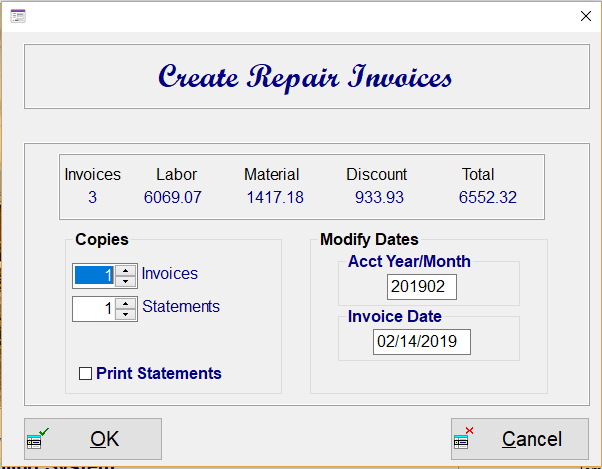
The next screen will display how many invoices will be processed and the breakdown of labor, material and discount. This screen will also allow you to print out multiple copies of the invoice, statement and/or billing repair cards. The accounting year and month will display for the current year and month, which can be changed if needed.
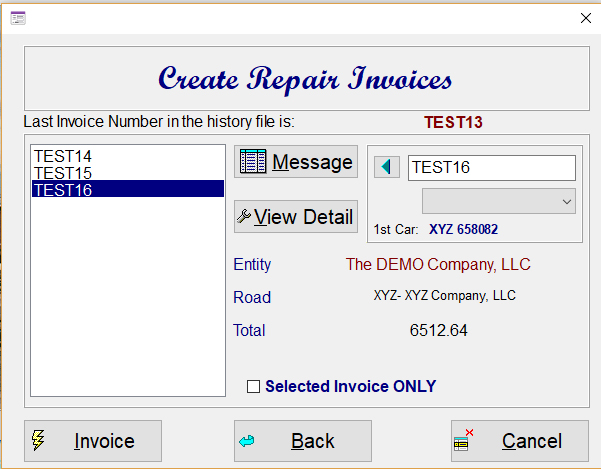
The last screen will display all the invoice numbers on the left. As you click on an invoice number, a display will show you who the customer is and how much is being billed to them. You may also press the "view" push button to get a list of cars that are inv the invoice.
The Message push button is for creating a unique message of up to 120 characters for the specific invoice that you have selected. This message will appear at the bottom of the invoice when printed.
This screen also allows you to change invoice number, reset the invoice number, and to designate that an invoice number not be processed.