Recalculate Charges
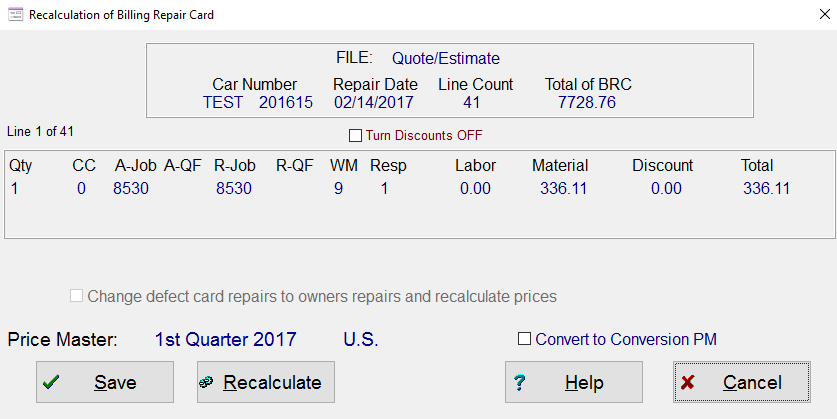
This screen will allow you to recalculate an entire billing repair card or quote/estimate. These calculations are from the U.S. Price Master, Canadian Price Master or a Customer Specific Price Master. The calculation will not work for Default User Job Codes because those prices are all manually priced. The same is true for Rule 72 items. The system will not recalculate any items that are based on inventory, since inventory can be priced many different ways. As the system calculates the new prices, it will display the Price Master Quarter along with U.S., Canadian or Customer for each line of repair.
When you press the Recalculate
push button, the system will display each line as it is calculated. The calculation will include, labor,
material, discount and total amount based on the price master being used and
the customer profile. Price masters
can be
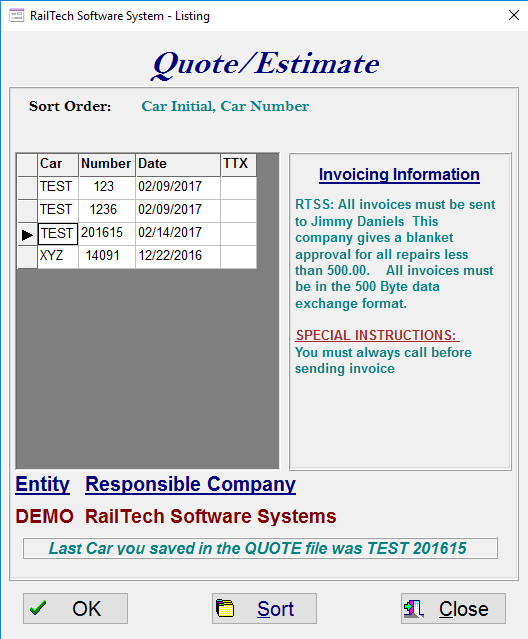
From the main menu select Utilities, Global Changes, than Billing Repair Card or Quote/Estimate, then Recalculate Charges. The screen below will then appear. Select the car you want then press the “OK” push button. The screen above will then appear.