Group Billing
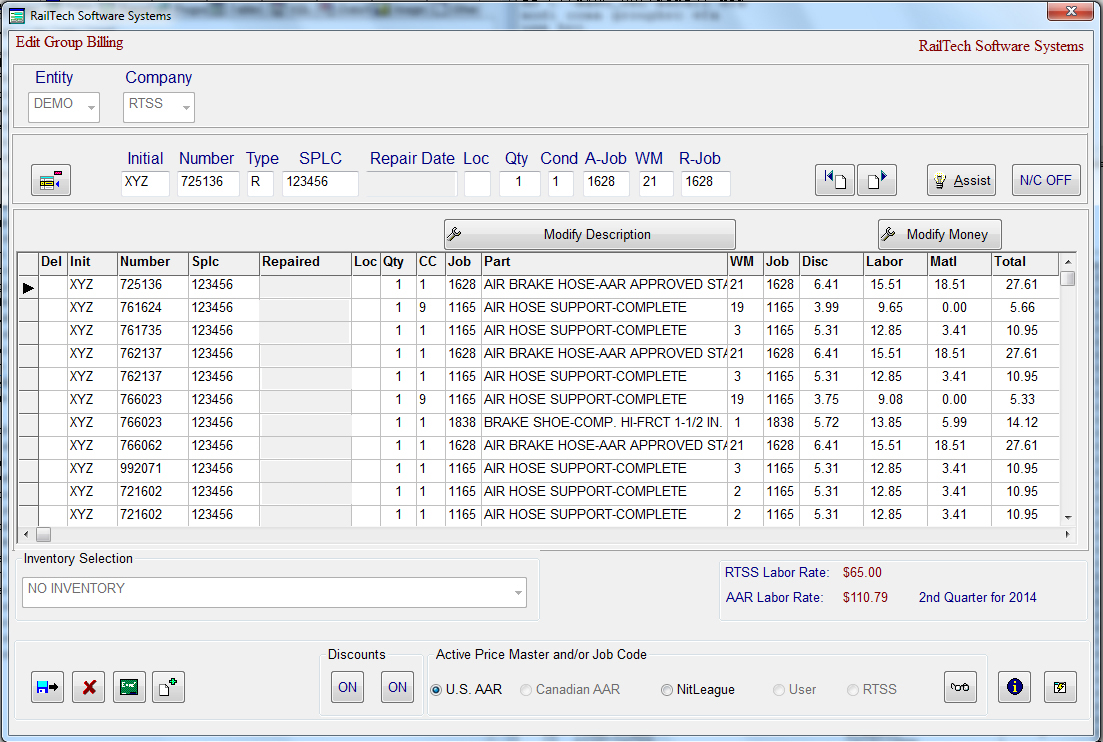
When first entering the group billing screen from the main menu, only the top portion of the screen is active. You must first select the responsible company. Then press the detail push button and the detail group billing entry items will appear.The remainder of the group billing is almost identical to the billing repair card screen. Each line consists of a specific car and date of repair. The job codes applied and removed must be in the Group Billing Control Screen. The employee’s actual time and initials only appear if the check box for this function is checked in the Entity screen. The pricing and rules are based on the date of repair.Group billing must conform to the AAR format. There are no qualifiers and the responsibility code is always 1, owners.