Job Code File
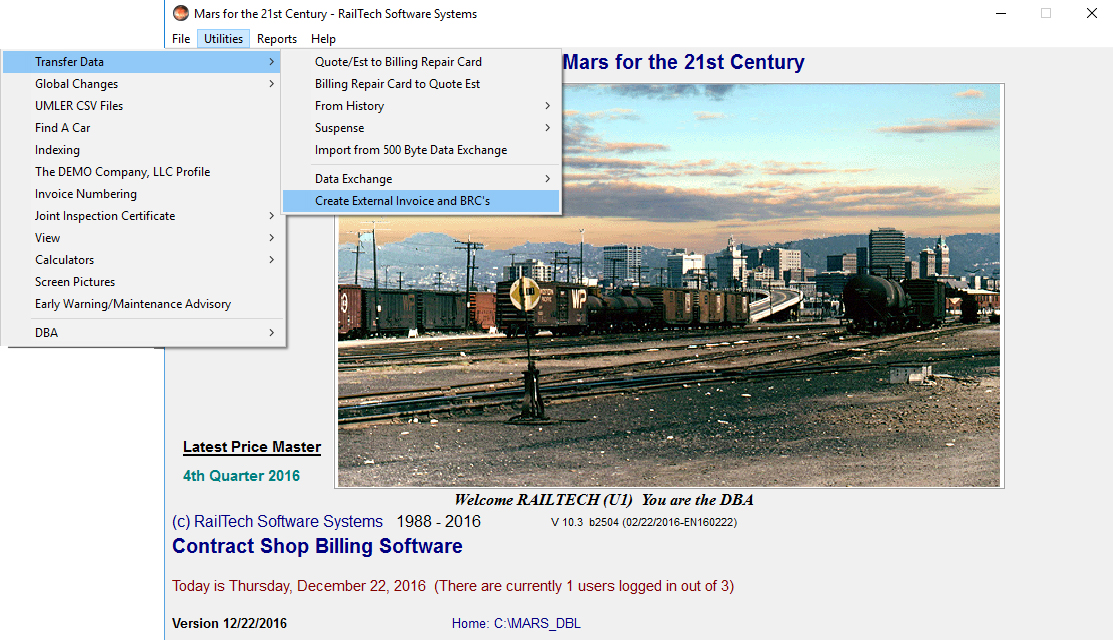
The Utilities selection allows you to perform many tasks. This includes; moving repair records between history and quote/estimate file and billing repair card and quote/estimate file. This is where you would also start for Global Changes, Re-indexing files, Changing your address information, change invoicing sequence and main selection, create a JIC, view data structures or view entire files, find the description of an AAR Car Type, change the screen picture and perform the task of the DBA.
A JIC can be created on any car from any file where the responsibility is equal to 3. The JIC will always print in the same order that the billing repair card prints in.
If you create a JIC and the company you send it too endorsed it. Then there is no way that they can take exception to the repairs as they are right off of the billing repair card.
If you are using a Network Version with 3 or more users, the DBA Controls allow you to control who can do what with the program. The DBA is always the person who first starts the program when it was originally installed. The DBA can designate anyone else to be the DBA.